In my previous article about note-taking, I mentioned that I use GitLab for my side projects and learning. But that barely scratches the surface. I actually use GitLab for far more than that, and in this post I want to share how it has become the backbone of how I manage almost everything in my life.
Why GitLab?
First, I believe that almost everything in life (including work) can be tracked using an issue tracker and documented in Markdown files. GitLab excels at both.
I’m also deeply familiar with GitLab. I’ve been using it for years, I know my way around it inside out, and I genuinely enjoy working with it. The CI/CD system is intuitive, and more importantly, the issue tracker is simple yet incredibly powerful.
And, well… That’s what GitLab Heroes do 😝😉
How I Use GitLab to Manage Almost Everything in My Life
0. The “What”
I quit Notion and Obsidian in favor of GitLab issues and git tracked Markdown files.
For every real-life task, side project, or idea, I create a GitLab issue. I carefully label it for proper tracking, use issue comments for progress updates, and later synthesize the outcomes into committed Markdown files for long-term persistence and sometimes I publish them as static HTML files.
With that, all my notes, websites, and writing live in plain Markdown. Text files, versioned and searchable and future-proof.
1. Hierarchy and Naming
Unlike GitHub, GitLab allows you to organize projects into groups and subgroups. This feature alone has been a life-changer for me.
Hierarchy is the most critical part of my setup. Under my account (iduoad), I have the following root groups:
Home Personal life and my computing journey. This includes my dotfiles, encrypted secrets (
gopass/pass), LaTeX resumes, and Immouzer (more on that later).Agora: Home to all my personal and professional projects:
- Mrrakc: Repositories for Mrrakc websites and data
- Projects: Active projects I’m currently working on
- Mgoun: Learning projects and personal wiki
- Other: Everything else
Websites: All my websites, including the one you’re reading right now, plus others like slides.iduoad.com and links.iduoad.com.
Playground: Experiments, demos, and prototypes.
Other: Repositories that don’t fit anywhere else (e.g., shared external side projects).
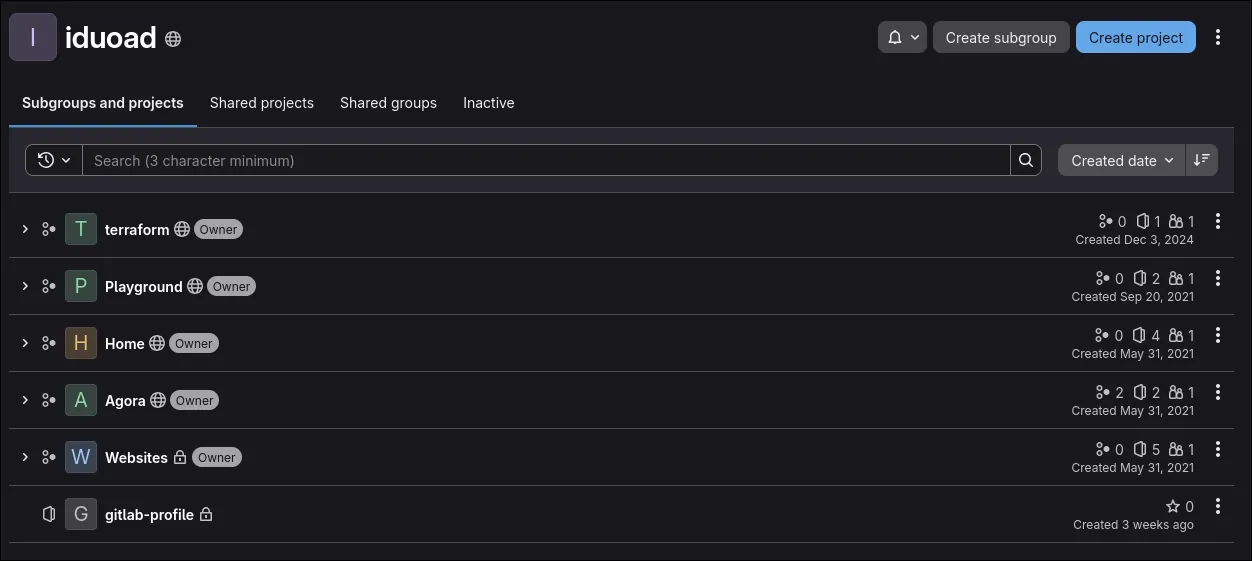
Naming is the second pillar of my setup. After many experiments, I settled on naming projects after Moroccan mountain peaks. Morocco has plenty of them, so I’ll never run out of names. And it makes the system fun and memorable.
2. Organization
I rely heavily on the issue tracker, it’s the source of truth for most projects and many aspects of my life. Managing more than 200 issues can get overwhelming, so structure is essential.
At the root group level, I define generic labels that apply everywhere. They are mainly divided into four label scopes:
- Goal: Represents an area of my life, such as
Goal::Content(blogging and writing) orGoal::OSS(open-source work). - Priority: Controls urgency:
Priority::P1(highest) toPriority::P3(lowest). - Type: The nature of the issue, for example
Type::BugorType::Documentation. - Status: Used to track progress:
Status::DoingorStatus::Waiting. These are especially useful with GitLab Issue Boards.
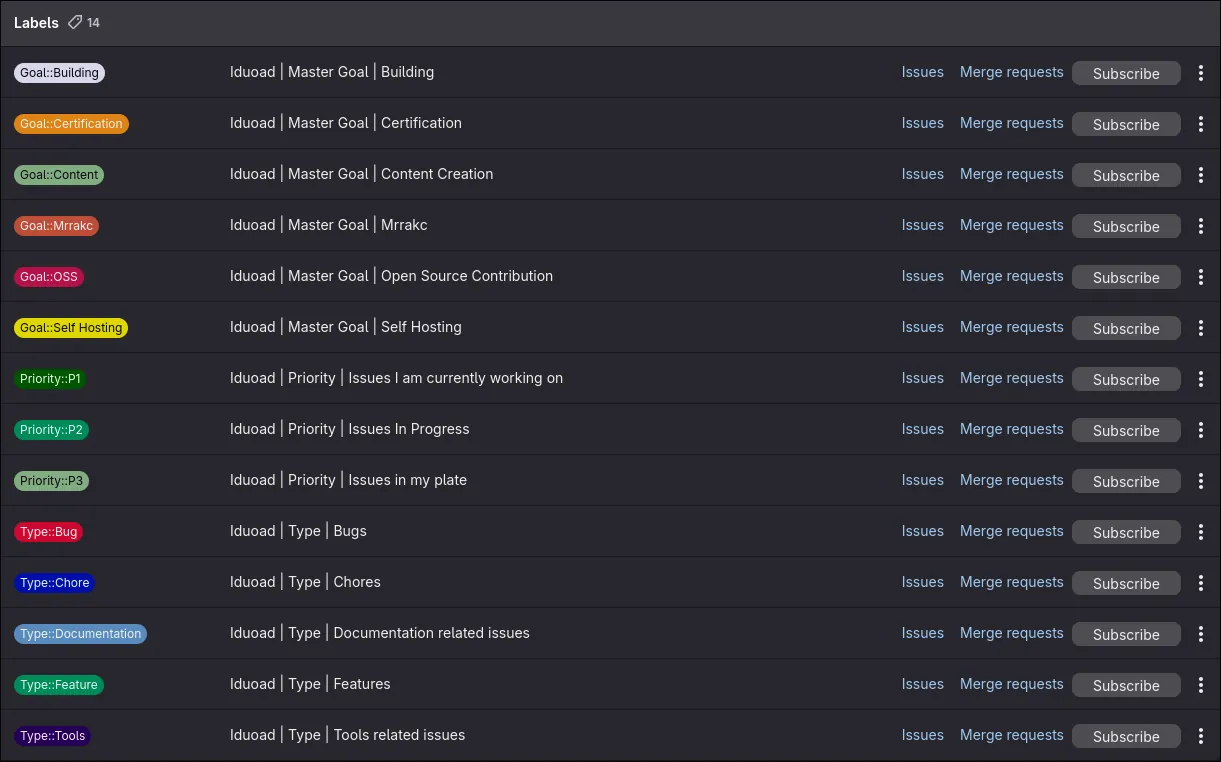
Each project can then define additional, project-specific labels on top of these.
3. Bird’s-Eye View
Two components are essential for my high-level overview:
- Issue Boards: I use issue boards at the root group level to get a global view of everything I’m working on.
- Group README: This is a somewhat hidden GitLab feature that allows you to create a README for an entire group. Its content appears at the bottom of the group’s project list.
(You can enable it via
Settings → General → Group README.)
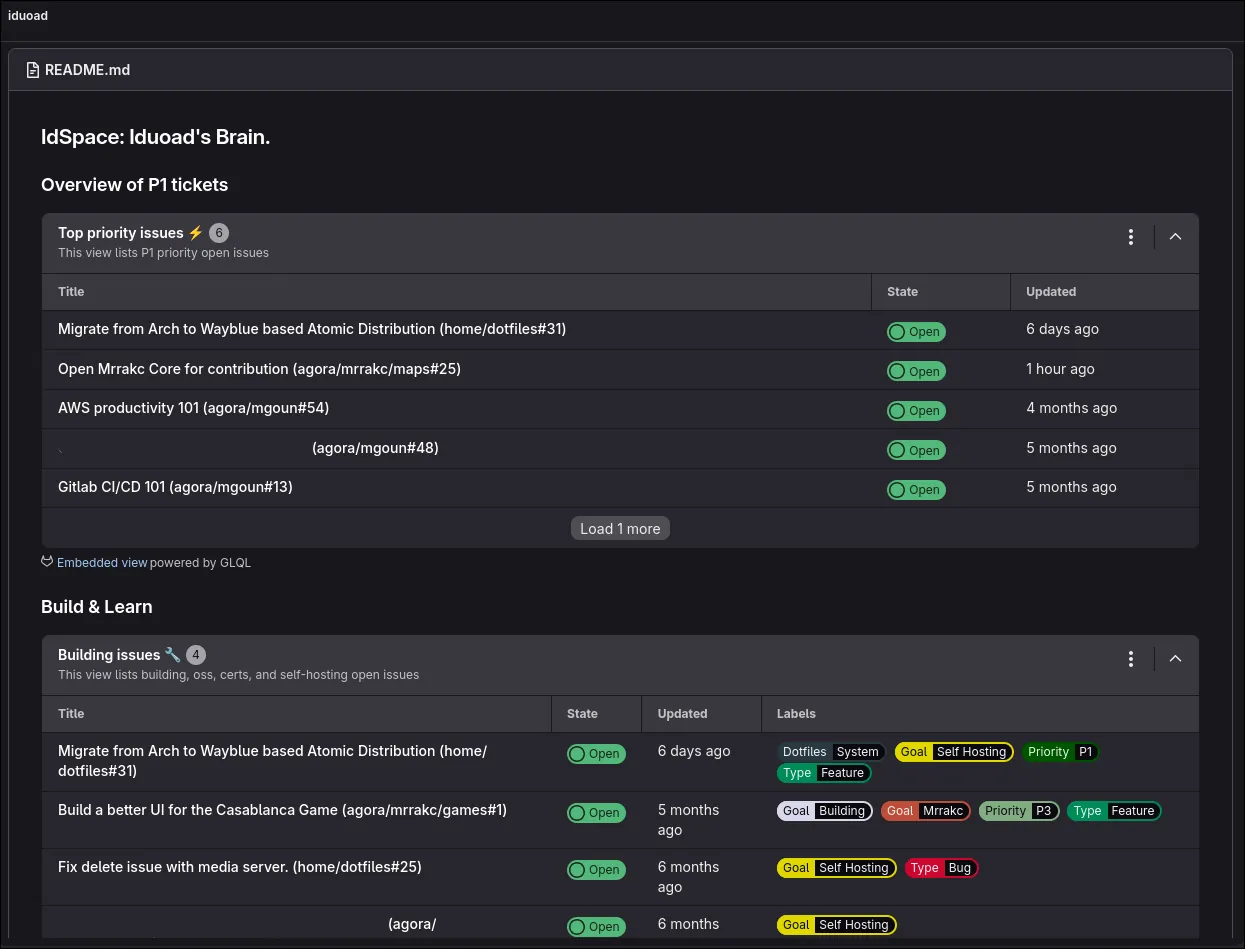
When enabled, GitLab creates a repository to host the README.md. On its own, this isn’t very powerful by itself, but combined with GitLab Query Language and Embedded views it becomes extremely useful.
I use it to surface what matters most across all my projects.
4. GitLab CI/CD and Pages
This is one of the most fun parts of my setup.
Since everything is text-based, I heavily rely on templates (e.g. Jinja2) combined with Python scripts to generate HTML pages, PDFs, and other artifacts via CI/CD.
Resumes
Resumes are a great example. A job Market best practice is to have multiple resumes tailored to different roles. I solve this using YAML, LaTeX, and GitLab CI/CD.
For my resumes I maintain:
- A LaTeX CV template rendered with Jinja2
- Multiple YAML profiles
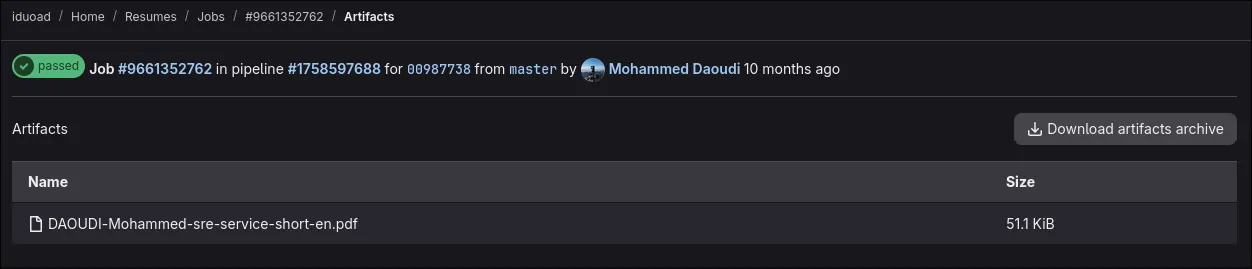
On each push (or pipeline run), GitLab CI/CD reads the profile name from an environment variable, runs a Python script to generate the LaTeX file, uses Tectonic to build the PDF, and publishes it as a pipeline artifact.
-> The result: resume management with zero friction and full version history.
Purchase tracking
Another, more life-oriented example: when I moved into a new apartment, I tracked furniture purchases in a CSV file.
Since CSV isn’t very readable, I pushed it to a repository and used Python and Matplotlib to generate a detailed spending report by category, provider, and location. The output is hosted as a private GitLab Page.
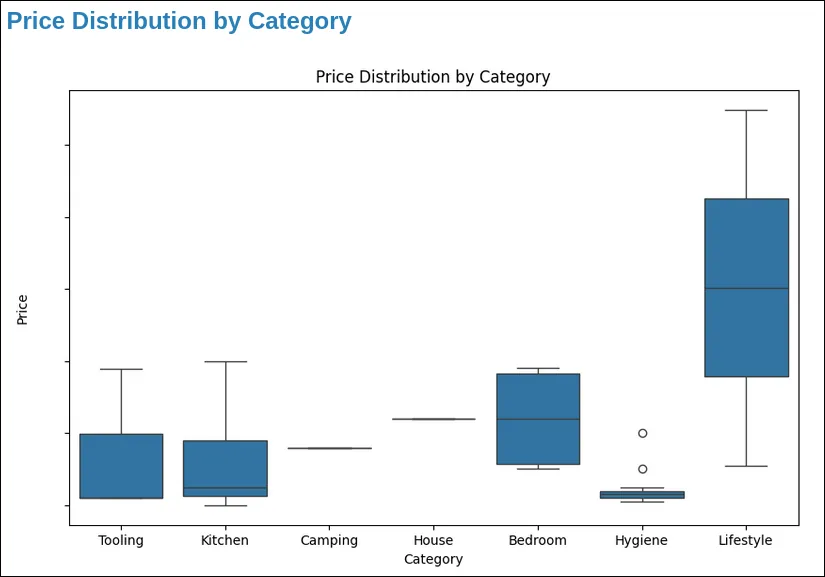
These are just simple examples on how I use CI/CD. Sky and your creativity are the limit.
5. The Case of Mgoun
Mgoun is my learning hub. I’ve talked about multiple times before, but I will dive deeper on how I use it here.
Whenever I want to learn or explore something new, I create an issue in Mgoun. Key aspects of how it works:
- Issues are labeled with both root-level labels and Mgoun-specific labels like
Cloud,Networking, orLinux. - Most issues have a Definition of Done (DoD). Learning is endless, so without a DoD, issues would stay open forever. Examples include:
- Finish course X
- Write a blog post or documentation about Y
- During learning sessions, I keep the issue open and record everything in the comments using Markdown. Sometimes I use GitLab quick actions to log time spent.
- Mgoun also acts as a wiki. When I’ve made enough progress, I create a wiki entry and close the issue. “Push to wiki” can itself be a DoD.
Types of Mgoun issues include:
- Generic learning: “PostgreSQL 101”
- Learning by doing: “Install a Kubernetes cluster on top of an Incus cluster”
- Tool of the Month (TOTM): Picking a tool, learning it, and integrating it into my workflow
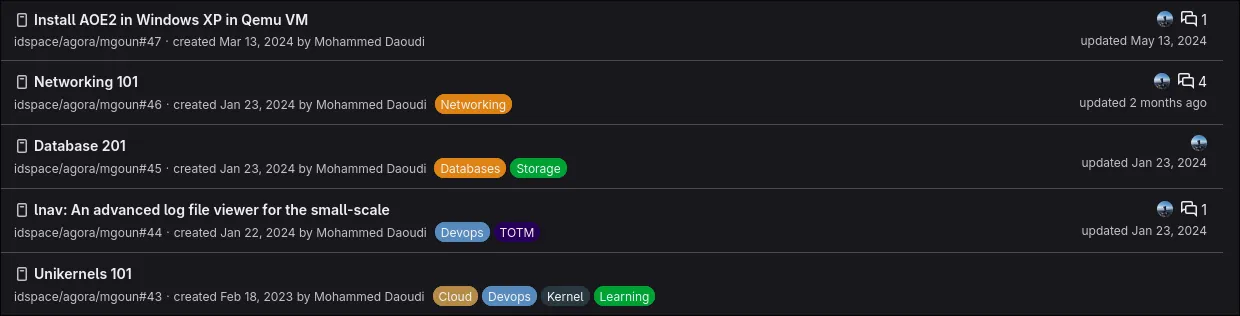
Mgoun has been invaluable. It tracks not only resources, but also my thought process, so I never forget how or why I learned something.
With the rise of LLMs, I’ve doubled down on learning again, and Mgoun is once more at the center of that process.
6. The Case of Immouzer
Immouzer is where I track life itself, and sometimes work.
It’s a repository containing a structured hierarchy of Markdown and LaTeX documents, scripts, and CI configuration files.
One of its most important uses is daily notes: a personal journal where I record thoughts, ideas, and todos while working. I explain this in more detail in my earlier post about note-taking.
I also use Immouzer to log work-related notes, such as interview experiences. For every interview or potential interview, I record details about the company, the interviewer, and my honest feedback. This has become an invaluable reference and learning resource.
Immouzer also contains:
- Client and company experience logs
- Reusable LaTeX documents built via CI pipelines and published as artifacts
- An inventory of things I own—especially items that are hard to track mentally, like physical documents stored in binders or electronics stored around the house
On top of that, I use Immouzer’s issue tracker to manage:
- Purchase decisions
- Community work
- Books I want to buy
- Topics I want to learn outside of work
Conclusion
The goal of this post isn’t to sell GitLab as the perfect life-management solution.
It’s simply to share my experience and hopefully inspire you to use tools you already like and feel comfortable with to build your own system and become more productive in a way that works for you.
Some information and screenshots are redacted and altered for privacy reasons 😁