THS: The Holy Setup - It is series of blog posts about my computer setup.
Media management has been one of the parts of my setup that took me the longest to figure out — and, honestly, I am still figuring it out.
Now that I am reasonably happy with my current setup, I decided to share it as part of “The Holy Setup” series.
The scope of my media setup is roughly the following. I will try to keep it short:
- Music and radio
- Movies and series
- YouTube and other social media
Music and Radio Setup
I’ve been using Spotify, both free and paid, on and off for years. I have two main problems with it:
- I need a browser or an app to listen to music. This becomes painful when I am offline. And when I am deep into work, usually from the terminal, going back and forth to a browser breaks my focus.
- Spotify’s algorithm isn’t great when it comes to discovering new music. Suggested playlists are either heavily location-biased or keep looping back to songs I already like. Which is frustrating. If I wanted to listen to music I already liked, I would just open my liked songs playlist.
My local setup revolves around solving these two problems. Here’s how I did it.
Music with ~ 0 context switching
My local setup is based on mpd. I love the fact that it is a music daemon. I can have multiple clients and control it from wherever I want: local clients, my phone, and so on.
Before discovering mpd, I had never imagined that I would want to spawn a daemon just to listen to music. But after configuring my first mpd instance, I never went back to client-only music players like mpv, vlc, cmus, and so on.
I use mpc as a headless client and have a bunch of keybindings in my window manager. For example, Super+P toggles play and Super+> moves to the next track.
This is incredibly practical. I can control what’s playing without leaving my current view. -> 0 context switches.
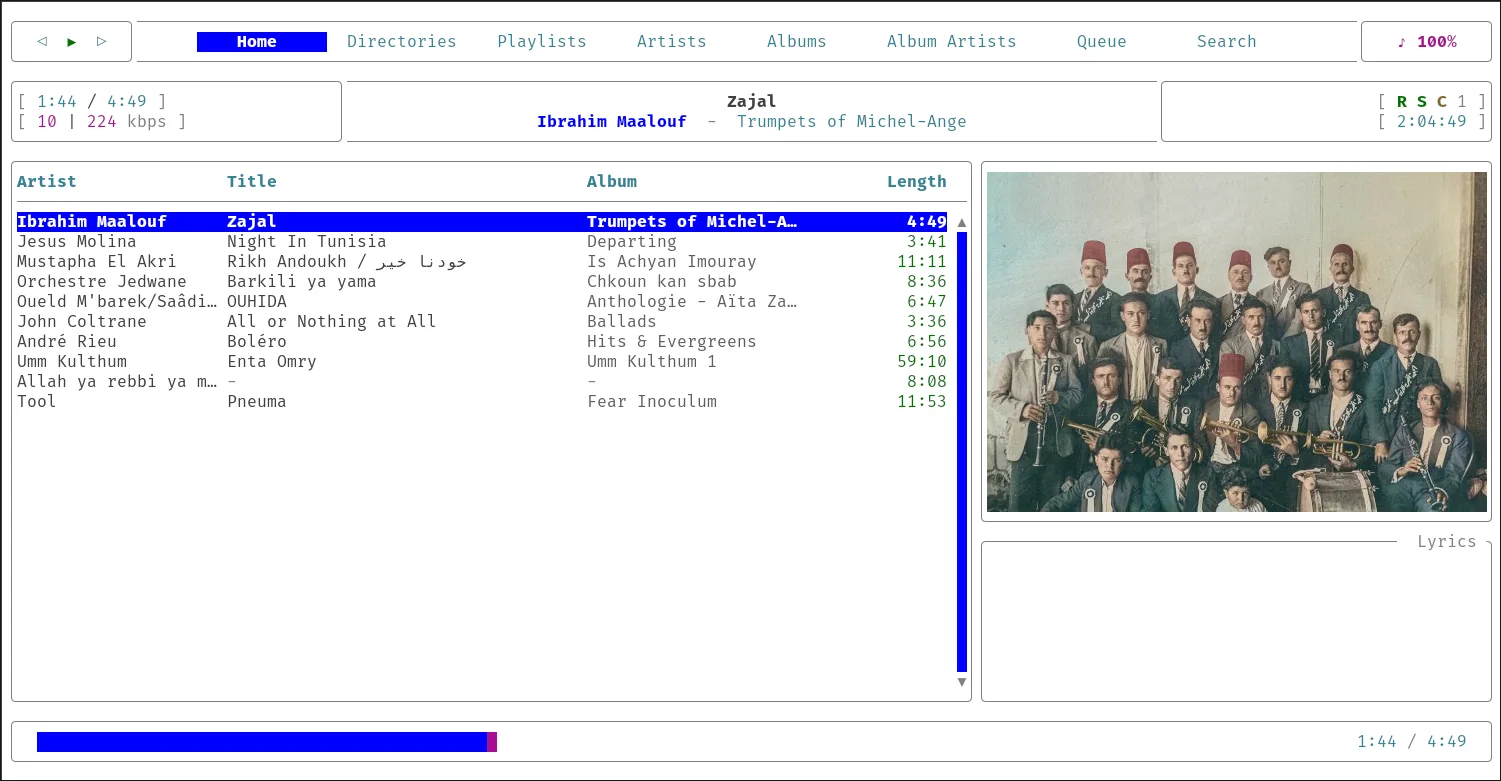
For the interactive part, I use rmpc. After years of using the more common ncmpcpp, I switched to rmpc because it is more actively maintained, uses a more modern stack, and is simply more beautiful and customizable.
I have it bound to Super+M in my window manager. But I mostly use it from Tmux. Alt+M opens it as a popup, so I can quickly browse my music, select a track, and get straight back to whatever I was doing.
Music discovery
For music discovery, I use web radio.
That’s it. Simple.
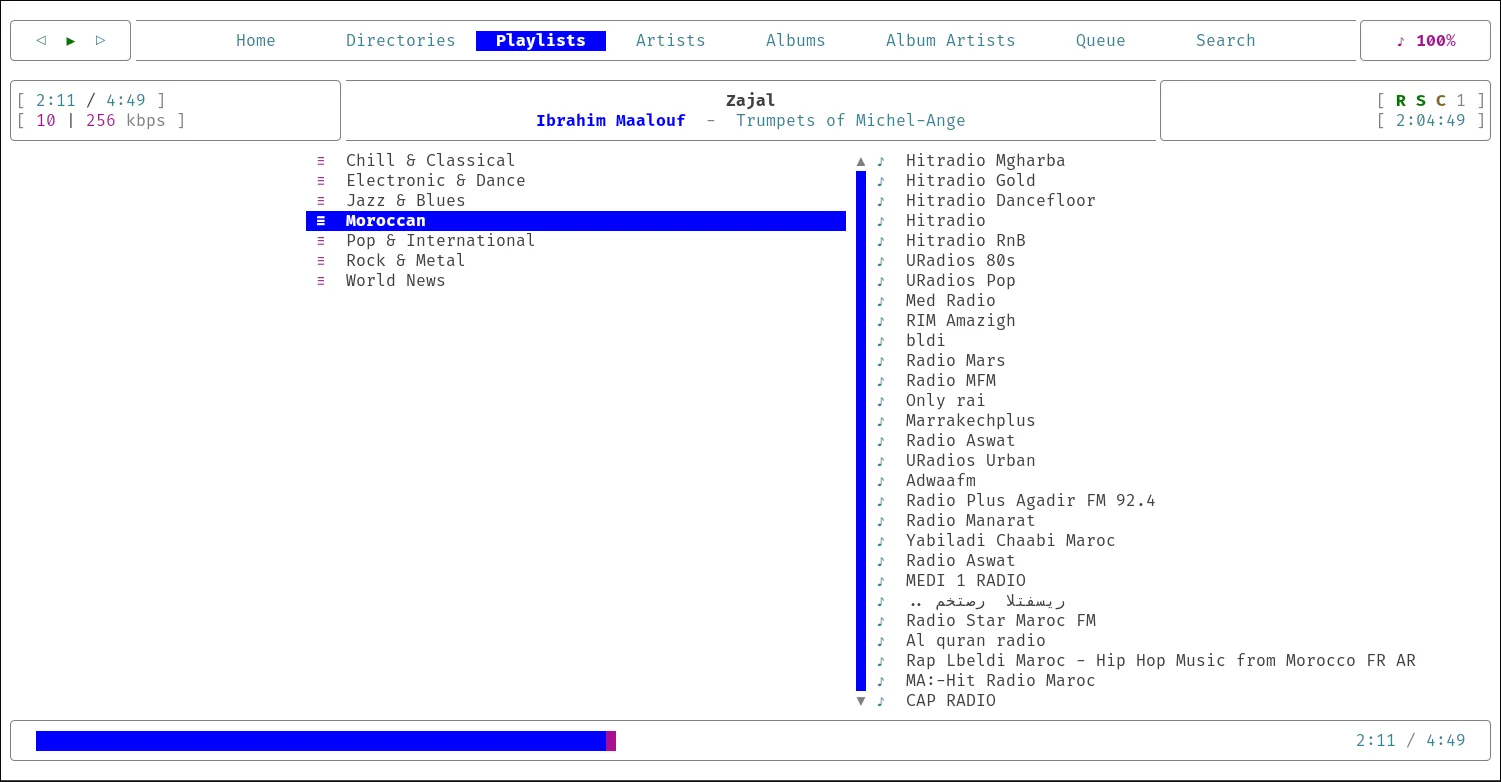
Web radio is seriously underrated. Most of the time, the music is curated by actual humans, and I get the added bonus of being able to listen to radio shows and programs whenever I want.
I wrote a small script that scrapes some of the most popular radios from the Radio Browser API, sorts them into categories, removes dead links, and adds them to my mpd library and indexes them.
Improvement points
For now, I am quite satisfied with the setup, although there are still a few things missing.
- Multi-device support: I am not too worried about this since I don’t listen to music on my phone that much. When I do, I usually use YouTube. Still, I am planning to sync my library to a remote server and connect my mobile
mpdclient to it. - Automated Shazam: Sometimes I discover a new song while listening to the radio and immediately find myself taking off my headset and Shazaming it with my phone. I want to add some kind of automatic Shazam functionality that listens to the currently playing track and identifies it.
Update: I already implemented this, I wrote a small script that taps into mpd playing queue, records 8s and send to shazam through
songrec recognize, then saves the result into a csv file and push a notification for me.
Movies and Series Setup
I tried setting up the Servarr stack multiple times, both locally and on remote servers. And every single time, it failed to convince me to stick with it.
Here are a few things I don’t like about Servarr:
- Too many moving parts: To get started, you need at least three Linux containers and then have to connect them all together.
- No text-based configuration: Whenever I want to change something, I have to go through the buggy UI.
- File management is complicated: Hard links or whatever magical file management I need to go through to get all the Servarrs to play nice with the Bittorrent client.
- Indexers, sorting, complex quality management…
I am not a huge watcher. I don’t watch many series and barely watch movies. For me, this setup was simply too much.
So I replaced all of it with a much smaller and simpler setup based on Transmission, a web browser, and a few scripts.
watchlist.csv: A simple text file with the following fields:id(video link or IMDb ID),Status(WatchedorNew),Title, andDescription.- A few shell scripts:
transadd: Adds a magnet URL to Transmission.yts-get-magnet: Takes an IMDb ID and returns a magnet URL using the YTS API.yt-add: Takes an IMDb or YouTube URL, cleans it up, and adds it towatchlist.csv.
- Desktop entry for
yt://: A desktop entry that opens allyt://files and URLs using theyt-addscript. - Bookmarklets: I defined two JavaScript bookmarklets that send the current URL to
yt-addthroughyt://.
So my new flow looks like this:
Zen Browser Bookmarklet -> yt://<payload> -> yt-add receives the title and URL (+ optional description) -> yt-add appends the IMDb ID or the entire URL if it is a video.
This is much simpler and more minimal, and it fits my needs perfectly.
TV, YouTube and other things
I don’t watch TV that much, but I keep a few IPTV M3U playlists with local and international channels, just in case I need to watch the news.
For YouTube videos, I rarely use the YouTube player in the browser. As I mentioned earlier, my YouTube watchlist lives in watchlist.csv, while my subscriptions live in newsraft (That’s another story for another day).
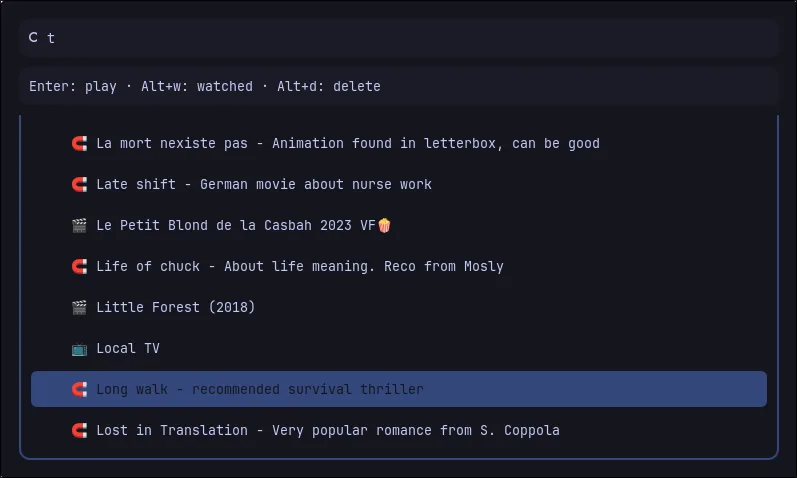
All of this, along with my local movies, is managed through a Rofi menu. It reads and displays everything in my watchlist, sends the content to mpv if it is available locally, and otherwise pushes it to Transmission for download.
So, everything is centralized in one place. And everything I want to watch is one Rofi menu away.